You enter your shifts. Nocturne tells you when to sleep, when to nap and what time to stop the coffee — for the night ahead, not for an office day.
● Coming soon on Google Play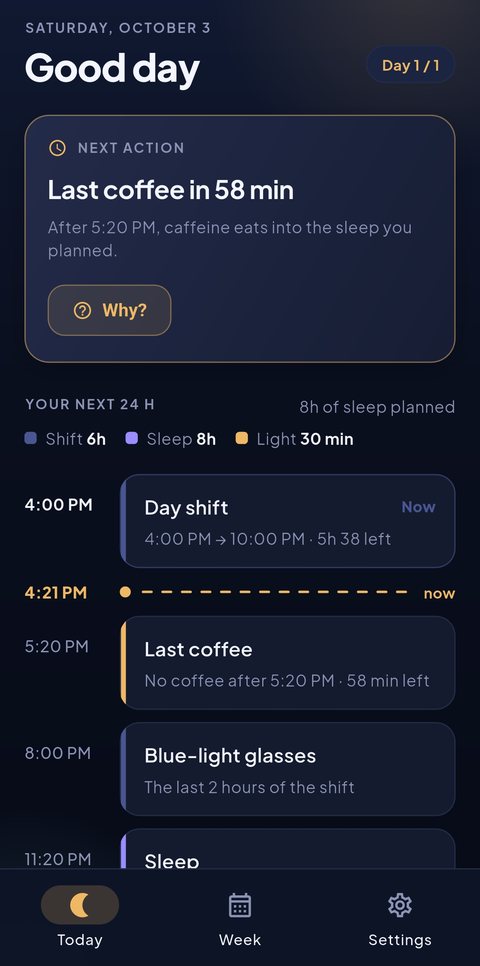
What you see when you open it
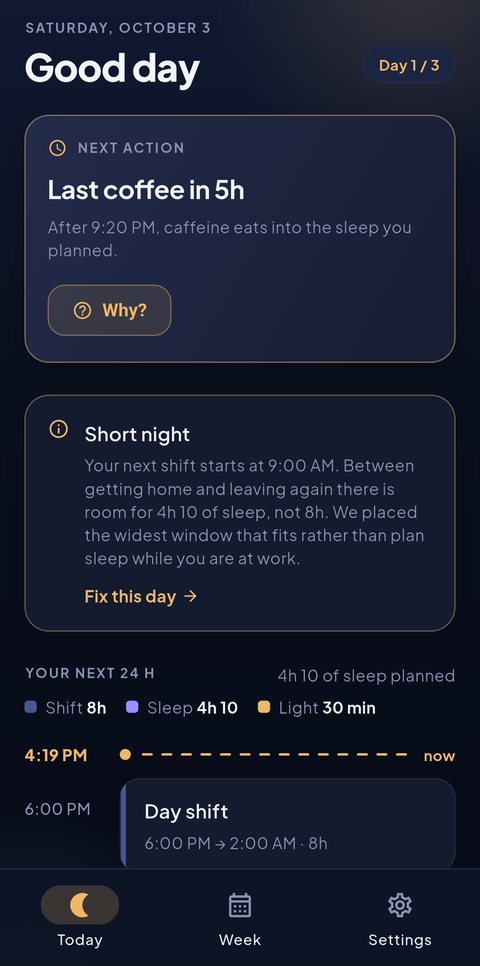
No curves, no score, no badges. The next action at the top, and your day laid out hour by hour below it.
Your shift, your sleep window, your last coffee and your naps on a single timeline, with a marker on the current hour.
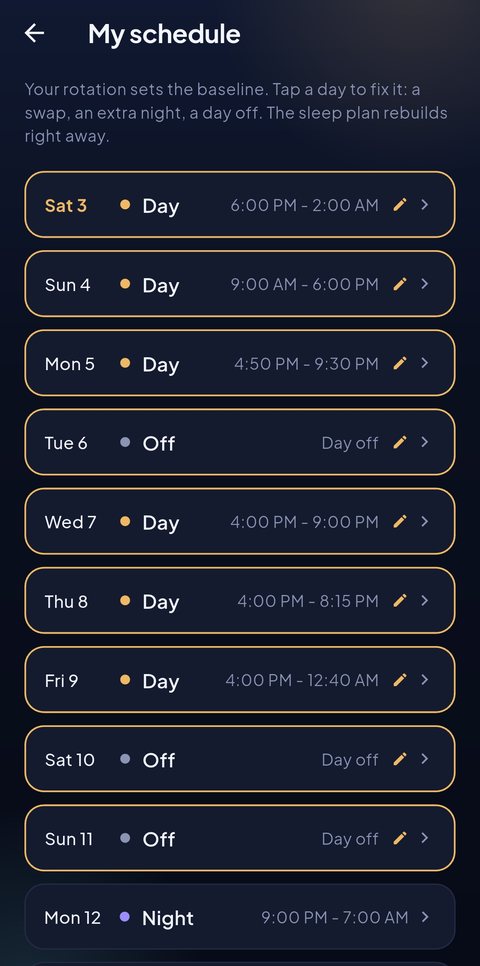
A rotation gives you a baseline. Real life gives you swaps and extra nights. Fix any day and the plan rebuilds right away.
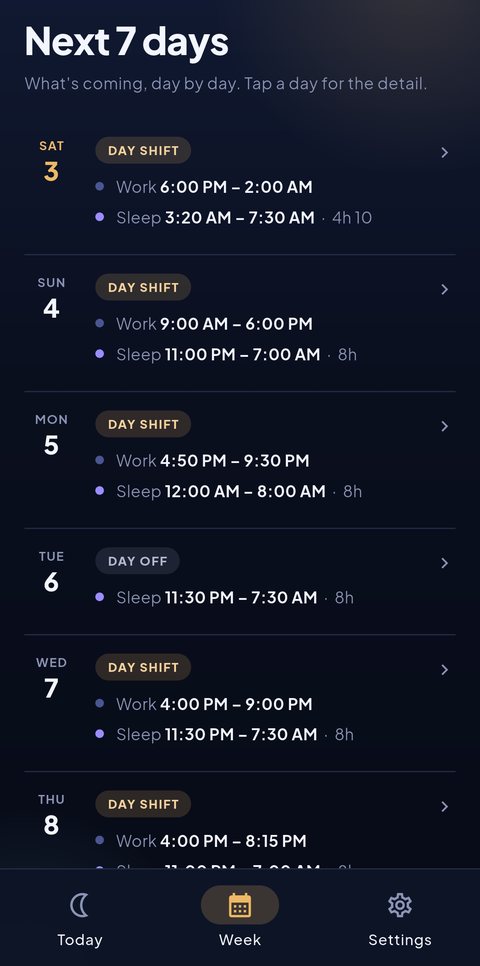
So you know today which night will be short, and can arrange the rest around it.
What sets it apart
Between the end of one shift and the start of the next there are sometimes not eight hours. Plenty of apps carry on regardless and show a plan that cannot happen.
Nocturne places the widest window that fits, then tells you why it is short and by how much. An honest plan beats a flattering one: at least you know what is coming, and you can decide on a nap accordingly.
In detail
Worked out from your shift, your commute, your sleep target and your chronotype. Not an average — your day.
Last coffee, nap, bedtime. Set on the hours you actually work, and only the ones you switch on.
Split shifts in two blocks, evening shifts ending at 2 AM, an extra night at short notice: all of it can be fixed by hand.
You open the app and you use it. Nothing to create, no email to confirm, no data going anywhere.
Who it is for
Nocturne is written for jobs that rotate, not for motivated early risers.
The substance
Five sleep-hygiene principles adapted to shift work. Nocturne applies them to your roster, but they hold without the app too.
After a shift ending at night or early morning, unwinding for an hour in front of a screen is expensive: light and passing time push sleep onset back, while the available window does not get any wider.
Caffeine takes several hours to be half cleared. A coffee at the end of a shift is still working when you lie down. Roughly six hours between the last coffee and bedtime is a simple, robust rule of thumb.
Morning light is the strongest signal your body clock has: it says "wake up" at exactly the moment you are trying to sleep. Filtering glasses for the end of the shift and the commute limit the damage.
Twenty to thirty minutes before leaving buys alertness for the night without eating into the sleep that follows. A long nap late in the day replaces the rest you will need later.
When two shifts fall too close together, no technique creates hours that do not exist. Knowing in advance that a night will be five hours lets you make up for it elsewhere — a nap, a more careful drive — rather than finding out on waking.
Nocturne is not a medical device and makes no diagnosis. If sleep problems persist, speak to a doctor.
Privacy
This is not a marketing promise, it follows from how the app is built: there is no server to send anything to.
Questions
The sleep plan, the reminders and the seven-day view are free and stay free. "Nocturne Plus" lets you fix as many days by hand as you like; it is a one-time purchase, not a subscription. The first three fixes are free so you can see what it changes before deciding.
That is exactly the case the app was written for. You pick a rotation as a starting point, then fix the days that do not match: a swap, an extra night, a shift split into two blocks. The sleep plan recalculates on every fix.
Nocturne then places your sleep on getting home, allowing for your commute — not the following evening. Evening shifts that run into the night are handled like regular night shifts.
No. Nocturne does not measure your sleep, it plans it. No sensors, no device to pair, no health permissions requested.
Entirely. Every calculation happens on the phone. Useful when you work in a basement or a warehouse with no signal.
Not yet. Android first; iOS will follow if the app finds its audience.